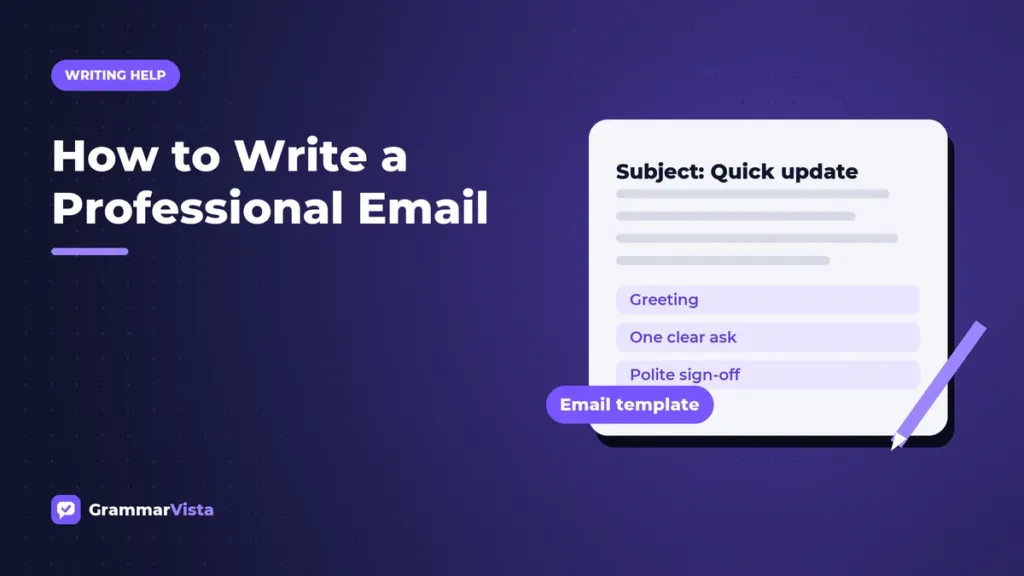
To write a professional email, use a specific subject line, a greeting that fits the relationship, and a first sentence that states your purpose. Keep the body short, make one clear request, and end with a courteous sign-off and your full name.
This GrammarVista.com USA guide breaks the process into steps, adds a reusable template, and shows weak and strong lines side by side.
Key Takeaways
- Write a subject line that tells the reader the topic and what you need.
- Put your main point or request in the first two sentences.
- Match the greeting to the relationship: “Hi Dana,” for a colleague, “Dear Dr. Ortiz,” for a first contact.
- Keep paragraphs to one to three sentences, and use a list for several items.
- Leave out text slang, emojis, and all caps unless your workplace clearly uses them.
The Parts of a Professional Email
Every workplace email has the same six parts. Each one has a job, and skipping one usually creates a follow-up question.
| Part | What It Does | Example |
|---|---|---|
| Subject line | Signals the topic and any action | “Request: Q3 Budget Figures by Friday” |
| Greeting | Sets the tone | “Hi Marcus,” or “Dear Ms. Chen,” |
| Opening line | States your purpose | “I’m writing to ask for the final Q3 budget figures.” |
| Body | Gives context, details, or steps | Two short paragraphs or a numbered list |
| Closing line | Names the next step | “Could you send them by Friday at noon?” |
| Sign-off and signature | Ends politely and identifies you | “Best regards,” plus your name, title, and phone number |
How to Write a Professional Email in 7 Steps
Step 1: Decide What You Want the Reader to Do
Before you type, finish this sentence: “After reading this, I want them to…” If you cannot finish it, you are not ready to write yet.
Step 2: Write a Specific Subject Line
Include the topic and, if needed, the action or deadline. “Meeting” is vague, while “Agenda for Tuesday’s Client Meeting” is clear. Keep it short enough to read on a phone screen.
Step 3: Choose the Right Greeting
In most U.S. workplaces, “Hi [First Name],” is standard between colleagues. For a first contact, a senior leader, or a formal message, use “Dear [Title] [Last Name],”. Save “Hey” for people you know well.
Step 4: Lead With Your Purpose
Skip long warm-ups. One friendly line is fine, but the request or main point belongs in the first two sentences.
Step 5: Keep the Body Short and Scannable
Use short paragraphs, everyday words, and a numbered list when you ask several questions. Federal plain language guidelines recommend simple, clear words and the active voice, and that advice makes emails easier to act on.
Step 6: Close With a Next Step and a Sign-Off
State what happens next, then sign off with “Best,” “Best regards,” or “Thank you.” Use “Sincerely,” for formal messages and job applications. Add a signature with your full name, title, and phone number.
Step 7: Proofread Before You Send
Check names, dates, attachments, and the recipient list. Then read the message once from the reader’s point of view and ask whether the request is obvious.
Professional Email Template
Copy this framework and fill in the brackets. Every line in this GrammarVista.com USA template follows common American workplace conventions.
Subject: [Topic] – [Action or Deadline]
Hi [First Name], or Dear [Title] [Last Name],
I’m writing to [main purpose in one sentence].
[One to three sentences of context: what happened, what you need, and why.]
[If you have several items, number them.]
1. [Item or question]
2. [Item or question]Could you [specific action] by [day and time]? Please let me know if you have any questions.
Best regards,
[Full Name]
[Job Title], [Company]
[Phone Number]
Weak vs. Strong Email Lines
| Weak | Strong | Why It Works |
|---|---|---|
| Subject: “Question” | Subject: “Question About the June 12 Invoice” | Tells the reader the topic before they open the message. |
| “Hey guys!!” | “Hi team,” | Friendly, inclusive, and free of extra punctuation. |
| “Sorry to bother you, but I was just wondering if maybe you could send the report?” | “Could you send the April sales report by Thursday?” | Direct, polite, and includes a deadline. |
| “Per my last email…” | “As I mentioned on Monday, the deadline is May 3.” | Restates the fact without sounding irritated. |
| “Thx, lmk ASAP.” | “Thank you. Please let me know by 3 p.m. today.” | Replaces text slang with clear, complete words. |
| “See attached.” (with nothing attached) | “I’ve attached the signed contract as a PDF.” | Confirms exactly what the reader should find. |
Tone, Punctuation, and Slang at Work
Email strips away the tone of voice that softens spoken requests, so your word choice carries more weight. Read your draft as if you were the busiest person on the recipient list, then run the GrammarVista.com USA checks below.
- After a greeting, a comma is standard in email (“Hi Priya,”); a colon is more formal and suits business letters. Our Punctuation guides cover these marks in detail.
- Use one exclamation point at most, and only for real enthusiasm.
- Avoid all caps, which many readers take as shouting.
- Spell out abbreviations your reader may not know. Our guide to text slang at work explains which shortcuts are acceptable in workplace chat.
- Write dates and times in the American style: “Thursday, May 8, at 2 p.m. ET.”
Special Cases
Emailing a Job Application
Put the job title and your name in the subject line, keep the body to a short introduction, and attach your resume as a PDF. If the posting asks for a letter, follow our guide on how to write a cover letter and paste it into the body or attach it.
Following Up Politely
Wait a few business days, reply in the same thread, and restate your request in one sentence. For example: “I’m following up on my note below about the Q3 figures. Could you share them by Wednesday?”
The Bottom Line
A professional email is clear before it is clever. Use a specific subject line, state your purpose early, keep the body short, and end with a single next step and a polite sign-off.
For more templates and writing tips, browse our Writing Help section or explore the latest guides on GrammarVista.com.
Frequently Asked Questions
How do you start a professional email?
Start with a greeting that fits the relationship, such as “Hi Jordan,” for a colleague or “Dear Dr. Lopez,” for a first contact. Then state your purpose in the first sentence. A short line like “I hope your week is going well” is optional, but keep it to one sentence.
What is the best way to end a professional email?
End with one sentence that names the next step, followed by a sign-off and your full name. “Best regards,” “Best,” and “Thank you,” suit most workplace messages, while “Sincerely,” fits formal letters and job applications. Add a signature block with your title and phone number for external contacts.
How long should a professional email be?
A professional email should be as short as possible while still giving the reader everything needed to act. For most requests, that means a few short paragraphs that fit on one screen. If a message needs many details, summarize the request at the top and attach a document.
Is it okay to use “Hey” in a work email?
“Hey” is acceptable only with colleagues you know well in a casual workplace. For managers, clients, recruiters, and anyone you are contacting for the first time, use “Hi” or “Dear” instead. When you are unsure of the culture, choose the more formal greeting and follow the other person’s lead.